
GSTBillPro — Complete User Guide
GST Billing, Inventory & Accounting — Point of Sale System
Version 6.0 • 2026 Edition — by Multi Digital Tools 🌐 https://multidigitaltools.com/products/gstbill • ✉ [email protected]
Welcome! GSTBillPro is an all-in-one billing solution for Indian businesses — sales & POS, purchases, inventory, GST (CGST/SGST/IGST/CESS), accounting and reports. This guide walks the complete journey with real screenshots. Keyboard shortcuts F1–F8 open the most-used screens instantly from the Dashboard.
Contents: 1. Start · 2. Login · 3. Dashboard · 4. Product · 5. Customer · 6. Supplier · 7. Sale (POS) · 8. Purchase · 9. Receipt · 10. Payment · 11. Expense · 12. Reports & GST
1. Starting the software
Double-click the GSTBillPro icon. The startup screen loads modules and checks your licence.
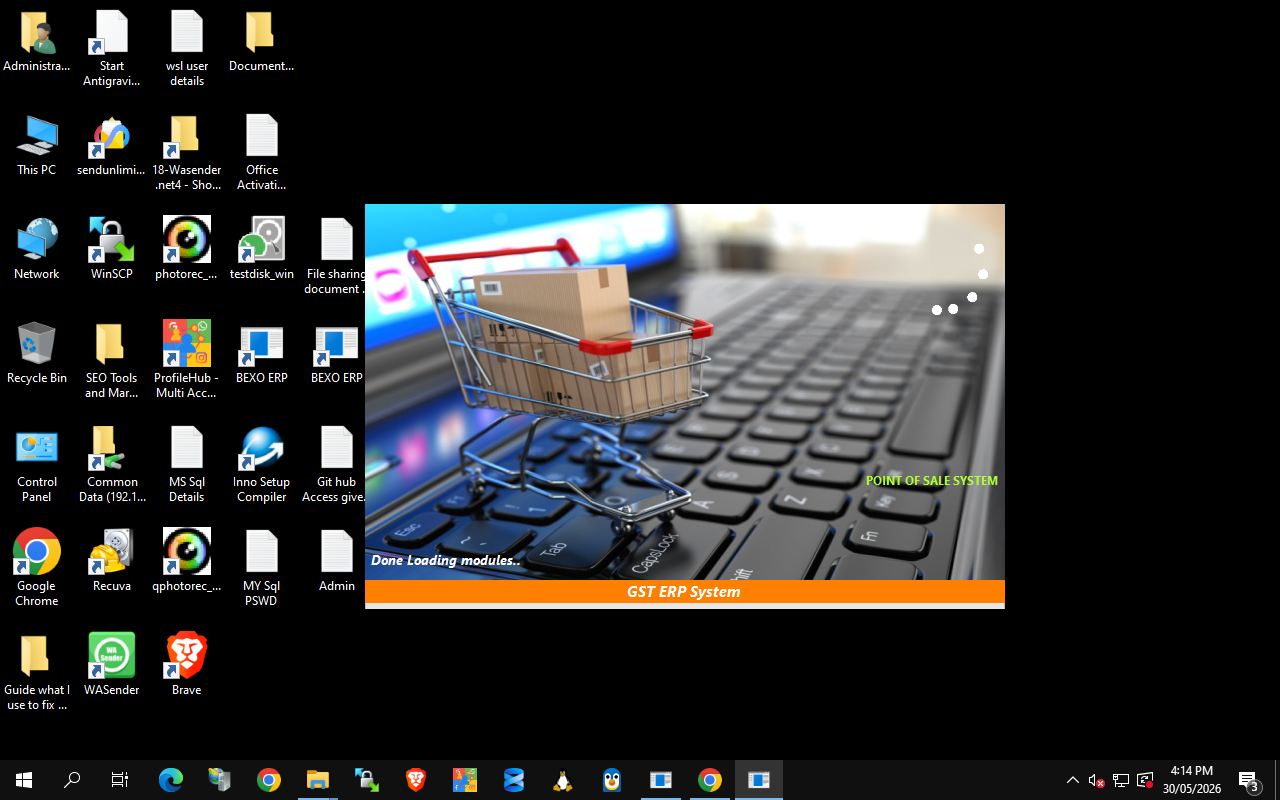
First run: you'll be guided to set up the SQL Server connection and create your company. After that it goes straight to login.
2. Logging in
Pick your Company, enter User Name and Password, click Login.
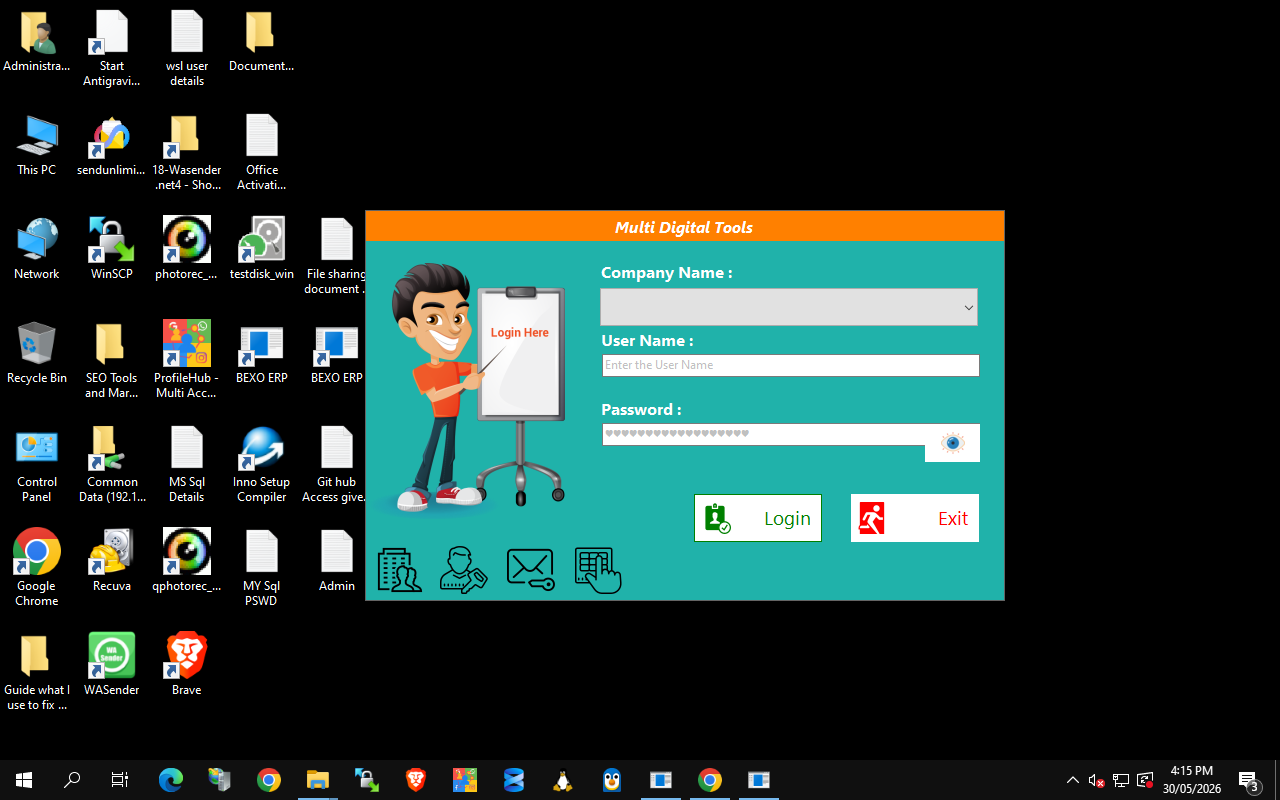
- Company Name — choose the business (multiple companies supported).
- Roles — Admin / Sales Person / Inventory Manager, each sees only what's allowed.
- Default admin:
admin/admin— change it under Administrator → Change Password.
3. The Dashboard
Your home base — left menu opens every module, coloured tiles are one-click shortcuts, the top strip shows today's totals.
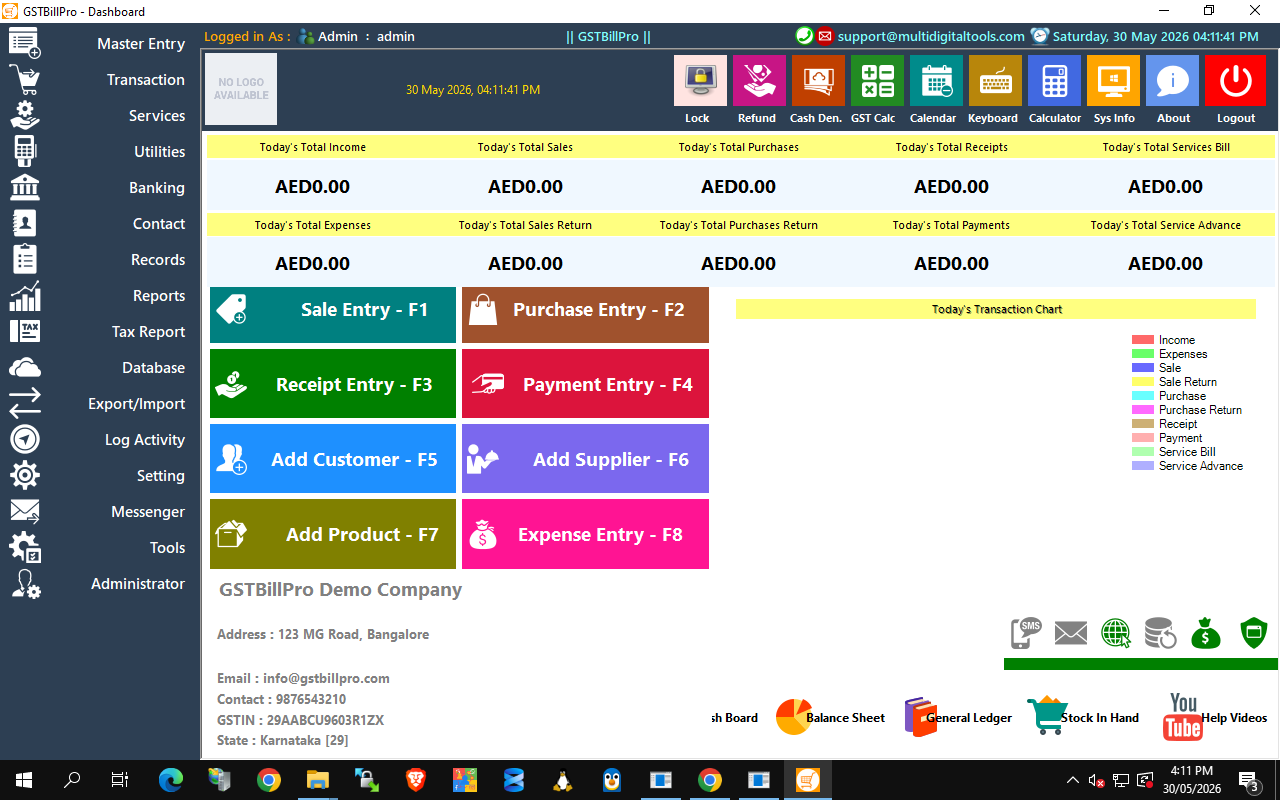
Shortcuts: F1 Sale · F2 Purchase · F3 Receipt · F4 Payment · F5 Customer · F6 Supplier · F7 Product · F8 Expense.
4. Add a Product — F7
Create what you sell; code, barcode and QR are auto-generated.
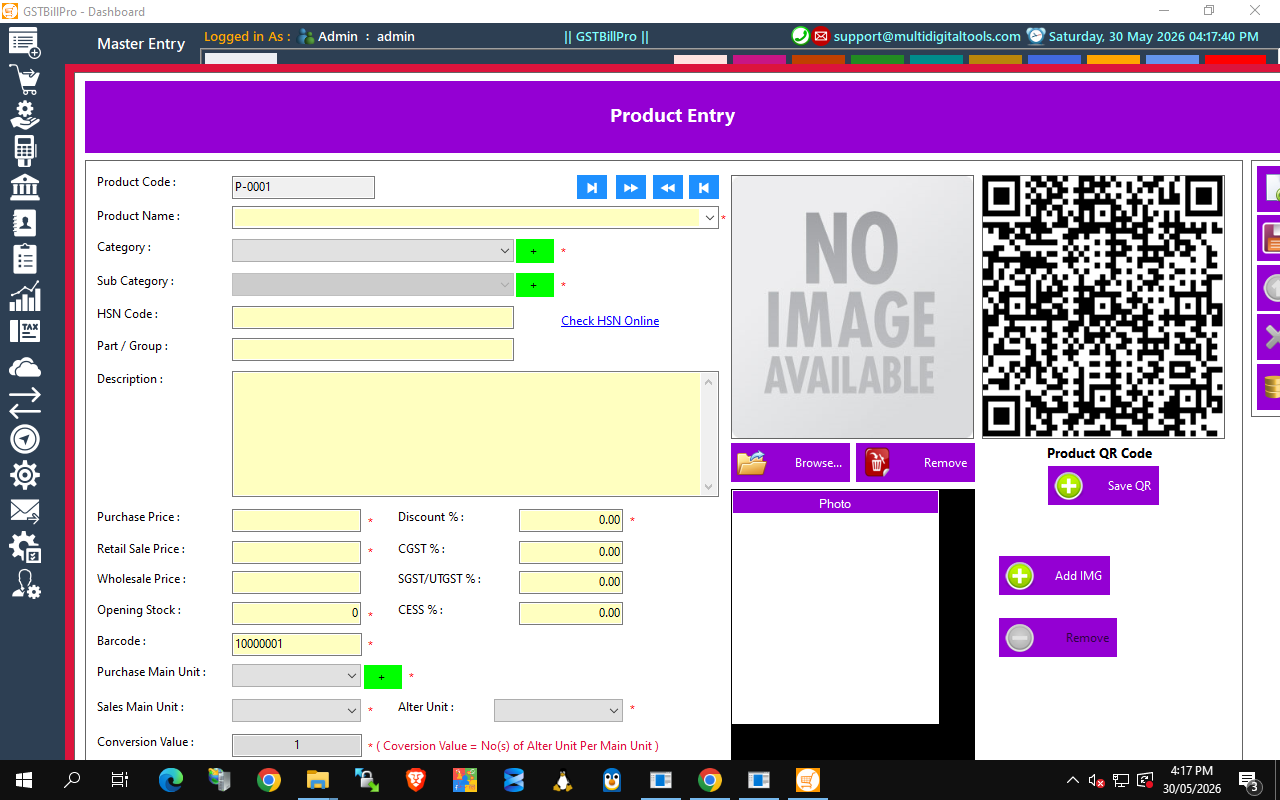
- Name, Category/Sub-category (green + adds new), HSN code, prices, opening stock, GST rates (CGST/SGST/CESS), units.
- Click Save → barcode & QR generated. Use Check HSN Online for the right code/rate.
5. Add a Customer — F5
Store customers once, reuse on every invoice.
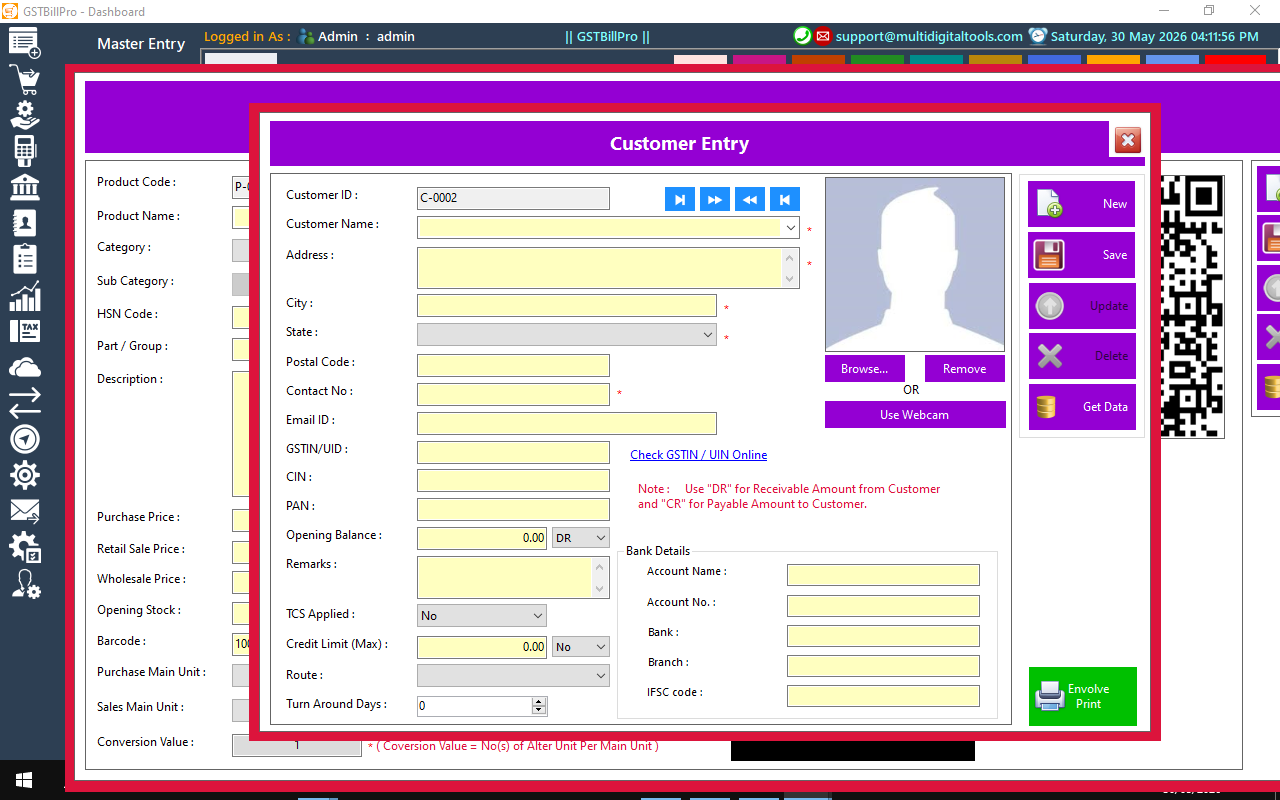
- Name, address, contact, email; GSTIN/UIN, PAN, CIN (validate with Check GSTIN Online).
- Opening balance (DR/CR), credit limit, bank details, photo (Browse/Webcam).
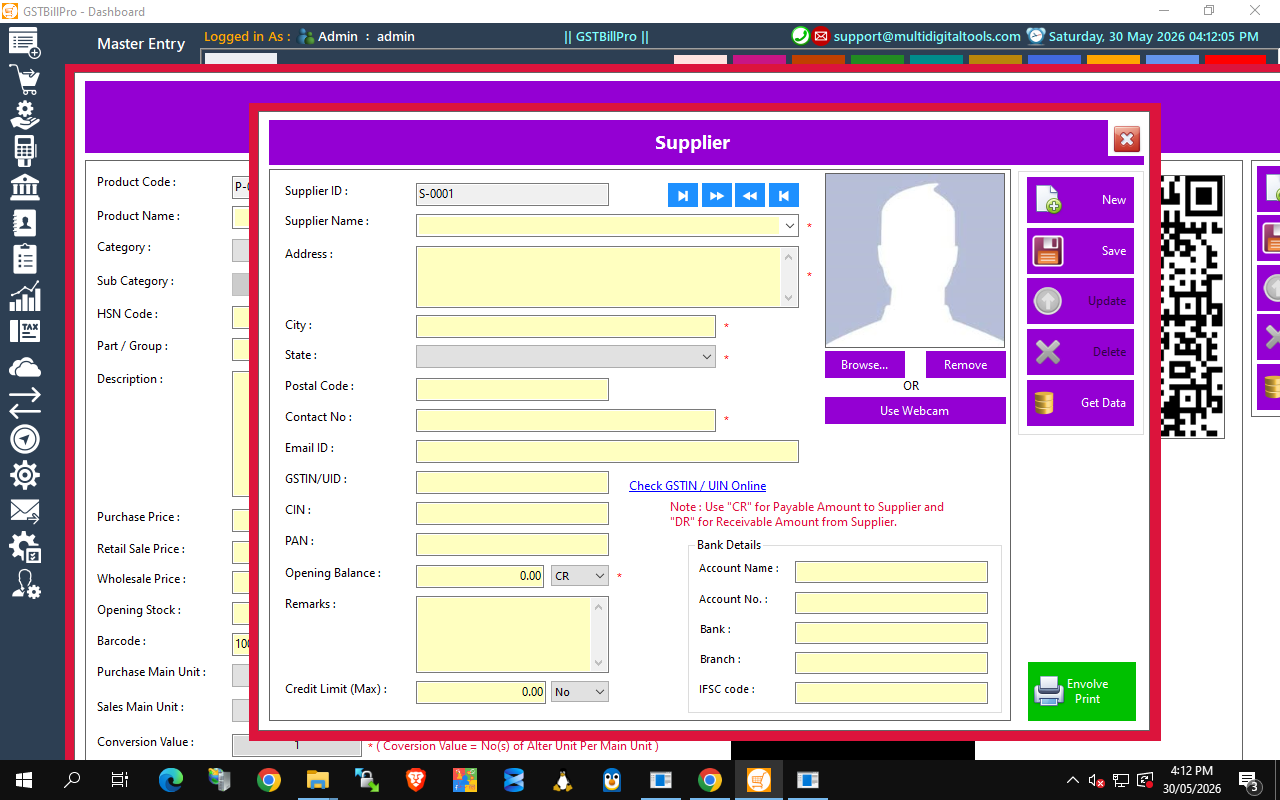
6. Add a Supplier — F6
Record vendors you buy from (same layout as Customer).
7. Make a Sale (POS) — F1
The heart of the system — bill a customer in seconds with full GST.
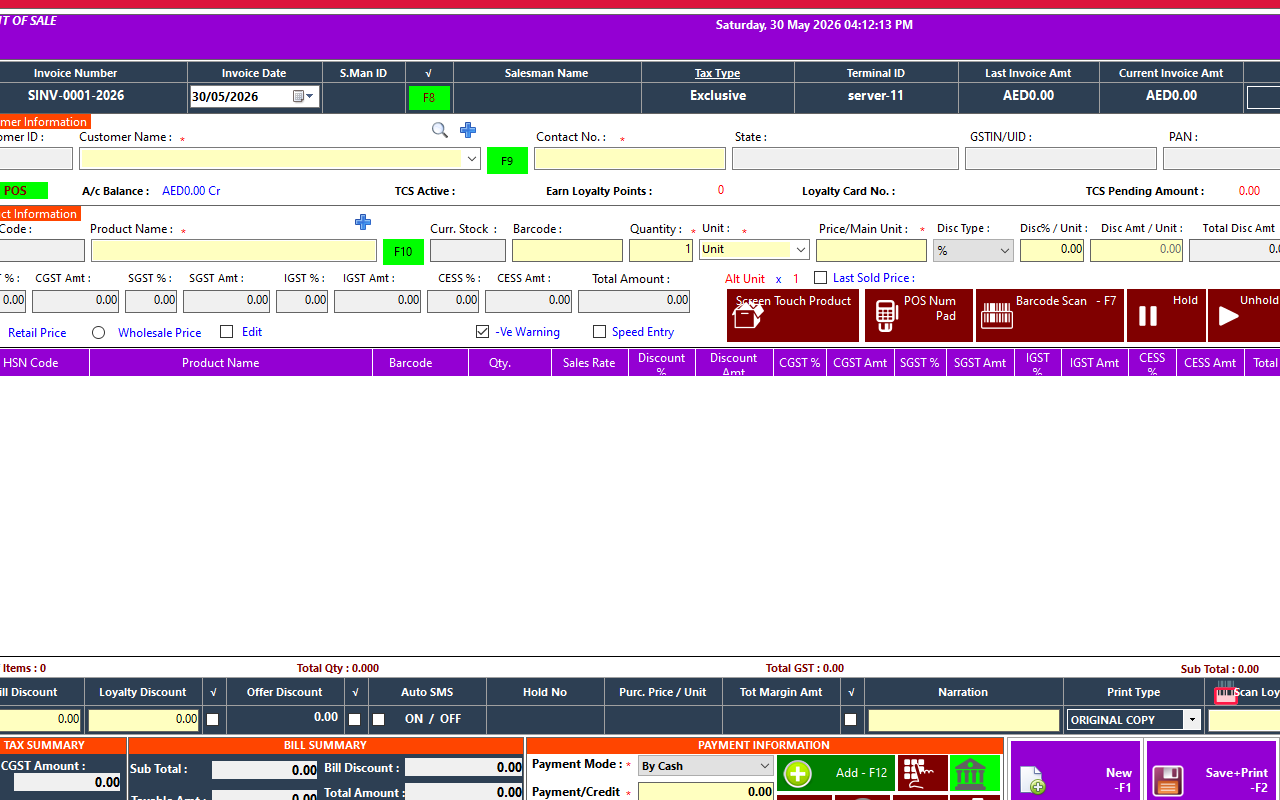
- Pick customer → scan barcode / type product (price, stock, GST auto-fill).
- Set qty & discount → CGST/SGST/IGST/CESS calculated live per line.
- Enter payment (F12), then Save + Print (F2). Stock & ledgers update automatically.
- Speed tools: Screen-Touch grid, POS Num-Pad, Barcode Scan (F7), Hold/Unhold.
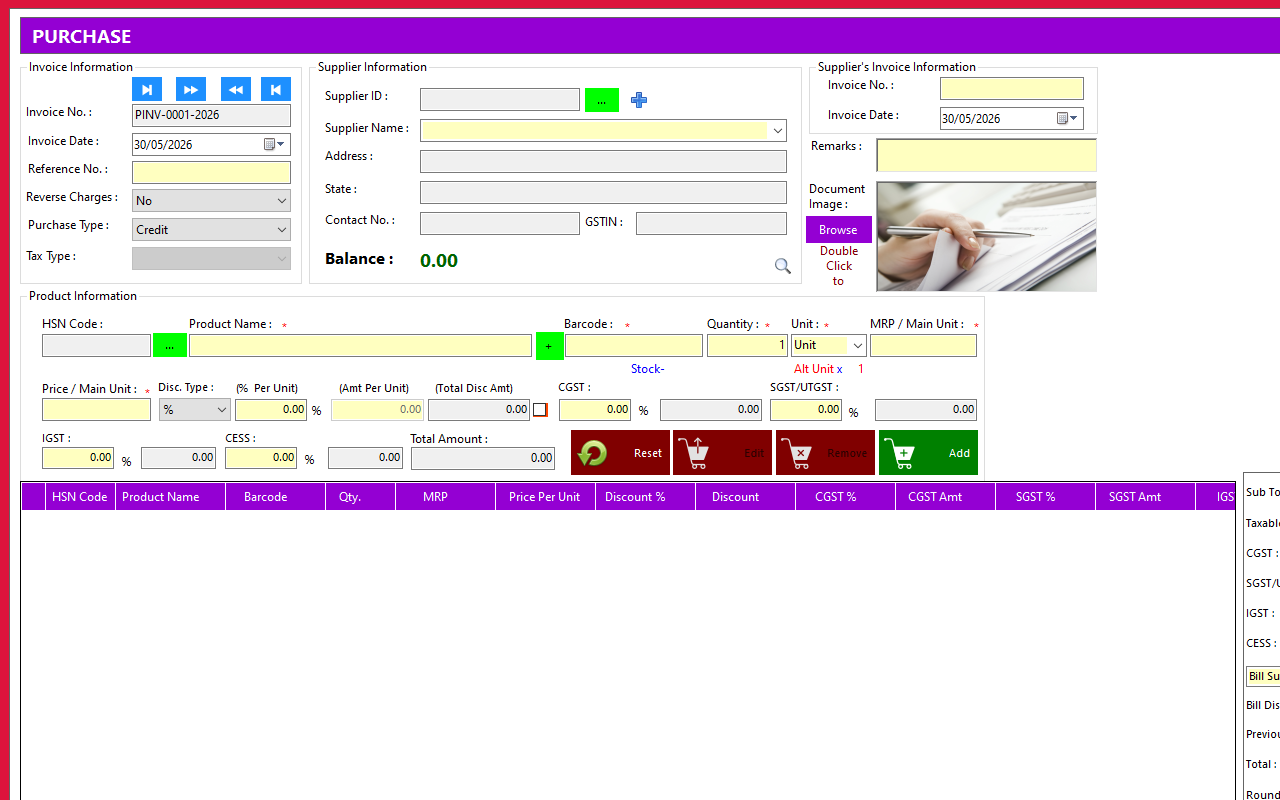
8. Record a Purchase — F2
Enter stock bought from suppliers — inventory ↑, supplier ledger & GST input recorded.
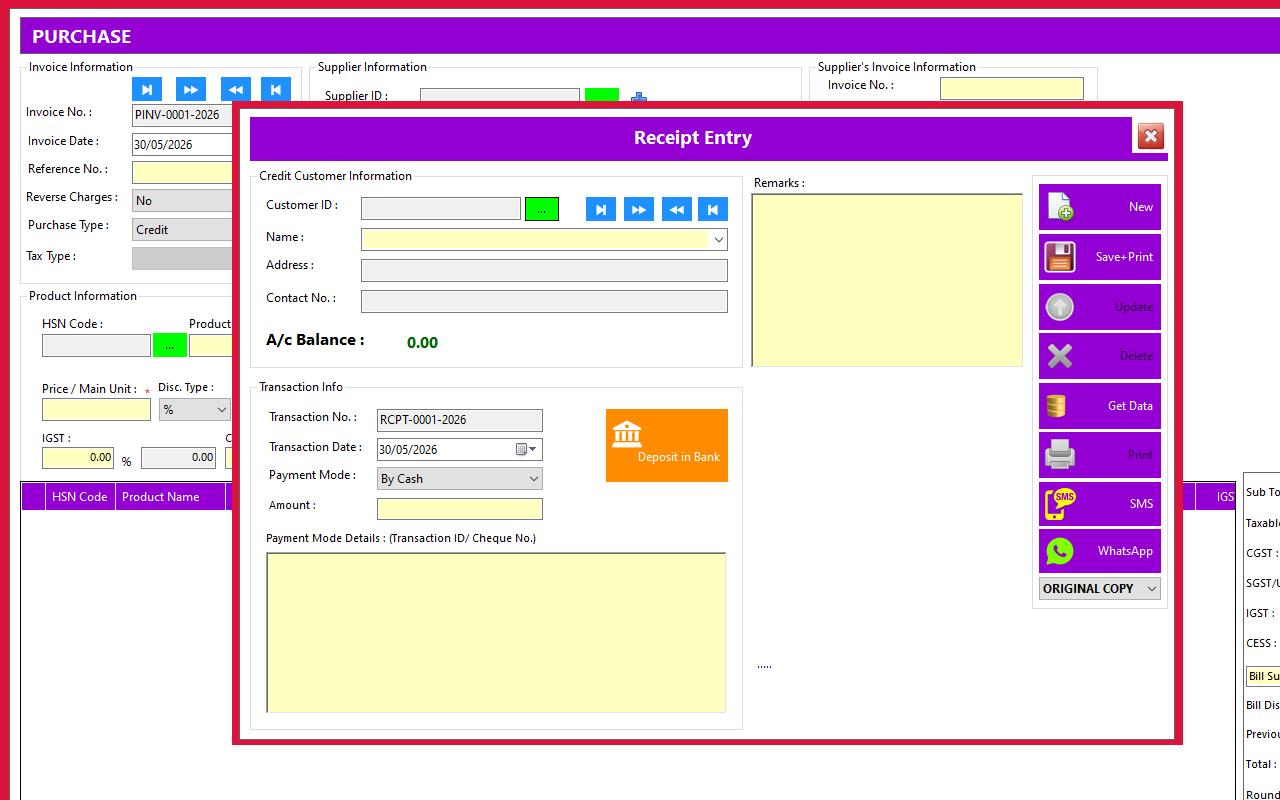
9. Receive a Payment (Receipt) — F3
Record money received from a customer against outstanding bills.
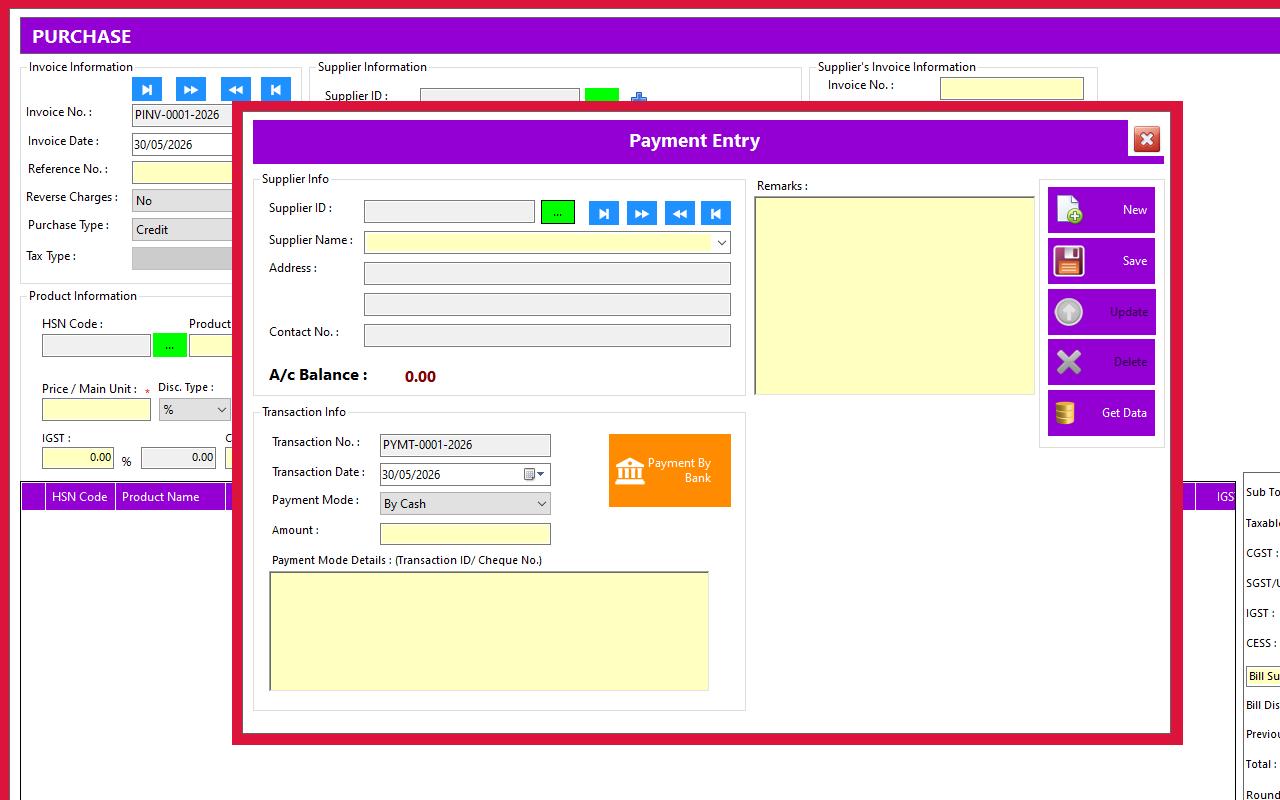
10. Make a Payment — F4
Record money paid to a supplier; ledger and cash/bank balance update instantly.
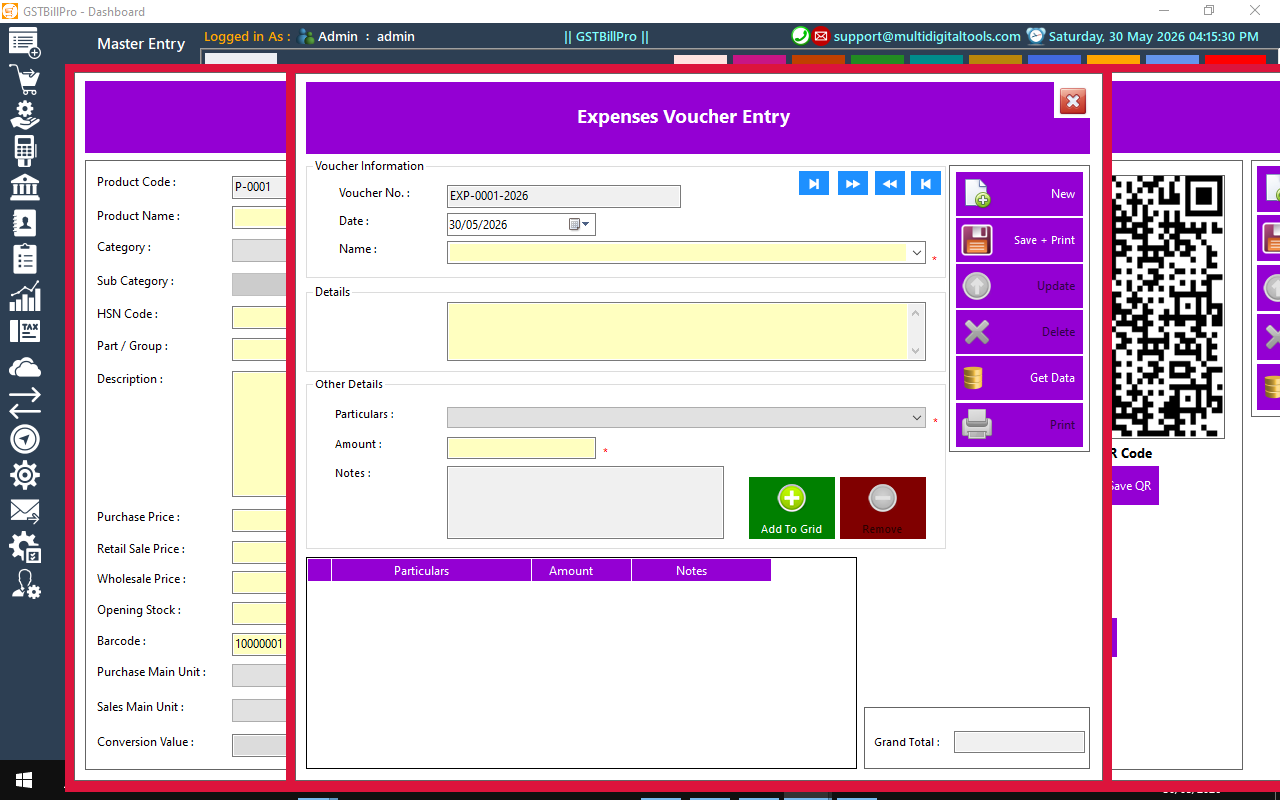
11. Record an Expense — F8
Log running costs (rent, electricity, salaries…) so profit stays accurate.
12. Reports & GST Returns
Everything you record flows into ready-made reports (Reports and Tax Report menus, or Dashboard footer).
- Business: Sales, Purchase, Stock In Hand, Best/Low-selling, Salesman commission.
- Accounting: General Ledger, Day Book, Trial Balance, Profit & Loss, Balance Sheet.
- GST: GSTR-1, GSTR-3B, tax summaries, TCS.
- Every report prints or exports to Excel/PDF. Pick a date range — figures reconcile automatically.
13. Settings & Administration
Open the Setting, Database and Administrator menus to tailor GSTBillPro.
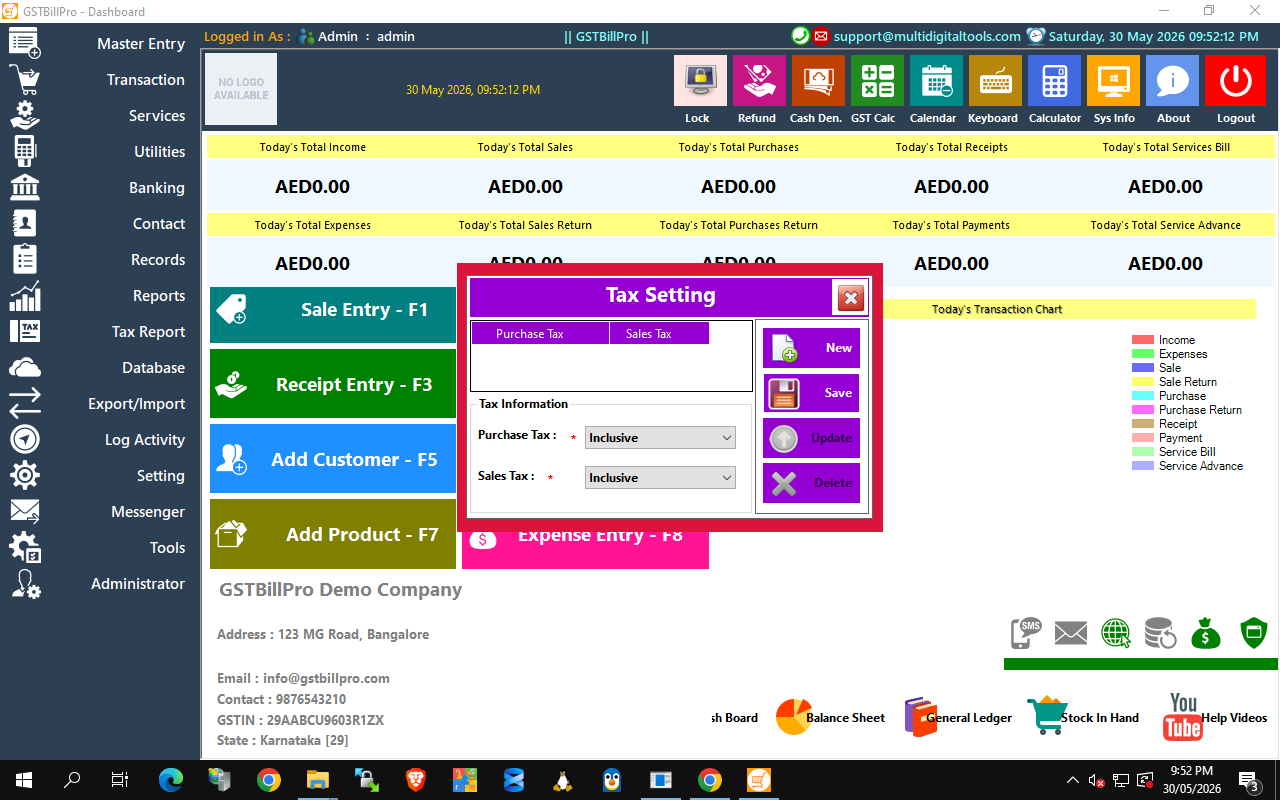
- Tax Setting — Purchase & Sales tax Inclusive/Exclusive of GST.
- Company Information — name, address, GSTIN, logo, financial year.
- Users & Roles / Permissions — Admin / Sales Person / Inventory Manager; per-user menu control.
- Change Password — secure (PBKDF2) per-user password change.
- Email / SMS Setting — connect SMTP & SMS gateway for invoices and alerts.
- Printer / Terminal Setting — invoice printer & POS terminal ID.
- Auto Backup — schedule automatic database backups.
- Virtual / Multi-Company — run and switch between multiple businesses.
14. Full feature list
- Billing & POS: POS, thermal & A4/A5 invoices, barcode, hold/unhold, touch grid, loyalty, discounts.
- Quotations & Estimates, Purchase & Stock (orders, adjustment, damage), Returns (credit/debit notes), Services.
- Accounting: receipts, payments, vouchers, cash/bank/customer/supplier ledgers, outstanding.
- GST & Tax: CGST/SGST/IGST/CESS, TCS, GSTR-1, GSTR-3B.
- Reports: P&L, Balance Sheet, Trial Balance, General Ledger, Day Book + Excel/PDF export.
- Communication: Email/SMS/WhatsApp, bulk messaging. Data: multi-company, auto backup, Excel import/export, activity log.
Good to know
- F1–F8 from the Dashboard = instant access to daily screens.
- Create staff users under Administrator → Users with per-role permissions.
- Database → Auto Backup keeps data safe — schedule daily.
- Run multiple companies from one install; switch at login.
- Amounts follow Windows region — set the PC to India to show ₹.
Requirements: Windows 10/11/Server (.NET 4.8) · Microsoft SQL Server/Express · report runtime (installed by setup).
© 2026 Multi Digital Tools — https://multidigitaltools.com/products/gstbill — [email protected]